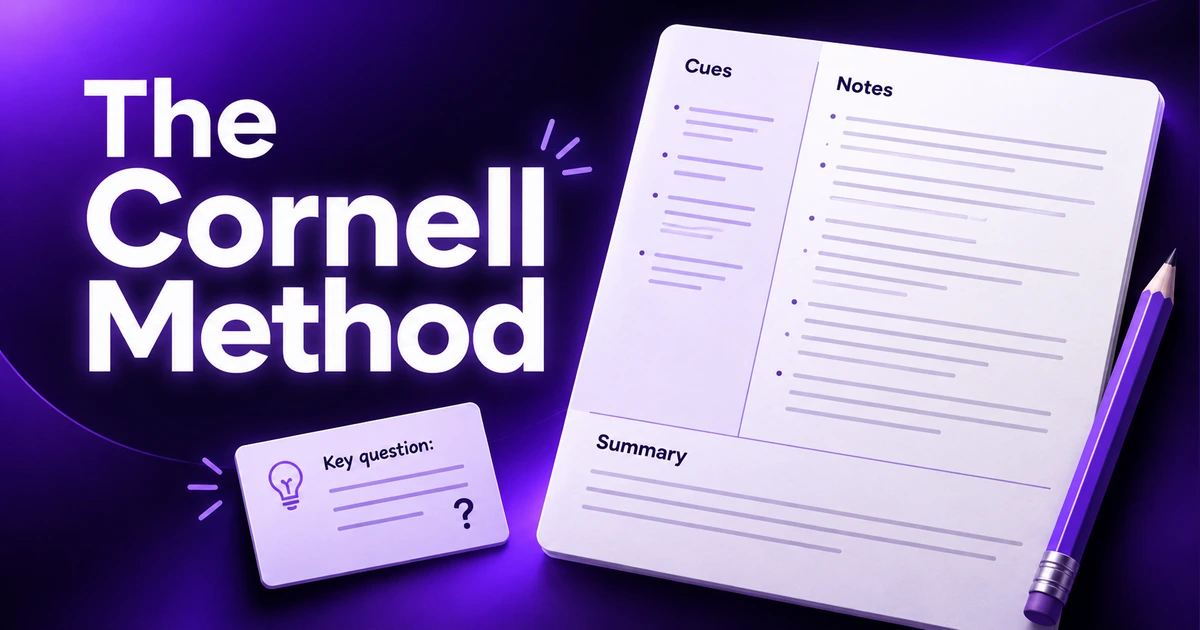
The Cornell note taking method is one of the most widely recommended study systems for a simple reason: it builds review into the notes themselves. Instead of a single block of text, each page is divided into areas for notes, cues and a summary, so the act of finishing your notes doubles as your first revision session.
The system is usually credited to Walter Pauk, an education professor at Cornell University, who described it in his book How to Study in College. Decades later it's still taught in schools and universities because it works with almost any subject. Here's how to use it, step by step – on paper or in a digital notepad.
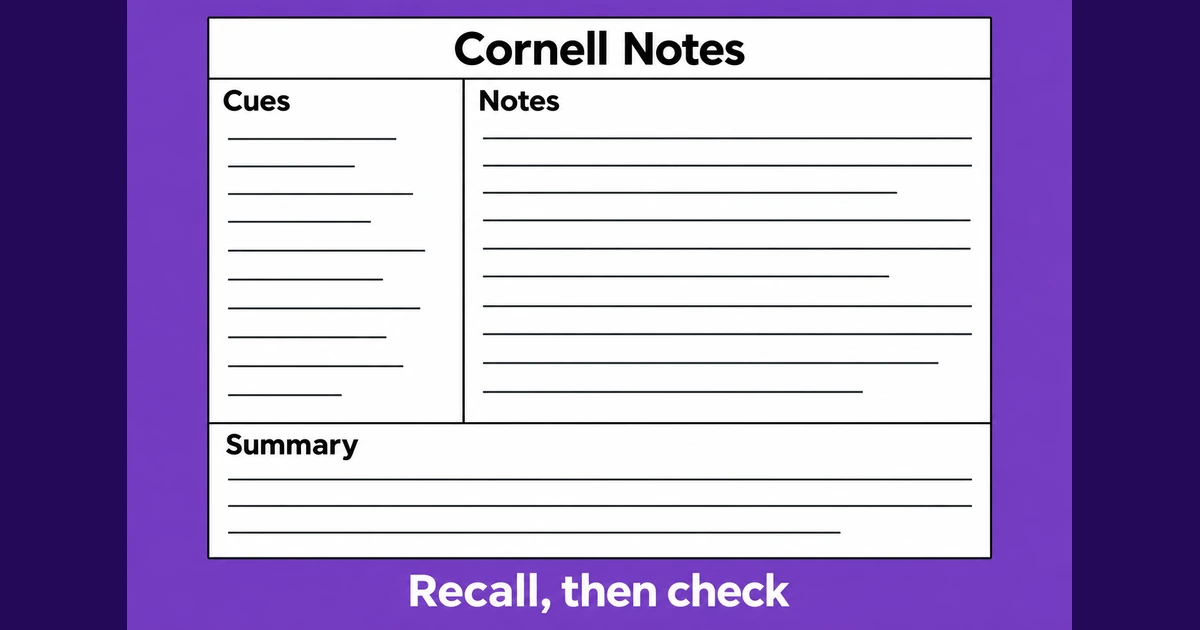
The Cornell layout at a glance
A Cornell page has three parts:
- Notes column (right, about two-thirds of the width): what you write during the lecture or while reading.
- Cue column (left, about one-third): keywords and questions you add after class.
- Summary (bottom): a few sentences in your own words that capture the whole page.
Add the course, date and topic at the top so every page is easy to find.
Step 1: Prepare the page
On paper, draw a vertical line about a third of the way from the left edge, and a horizontal line a few lines up from the bottom. Write the course, date and topic at the top. In a digital notepad you can use headings instead of columns (see the template below) – the structure matters more than the exact layout.
Step 2: Take notes during class
Use the large notes column to record the lecture. The usual rules of good note-taking apply:
- Write main ideas, not transcripts. Summarize in your own words.
- Use short sentences, bullet points and abbreviations you'll understand later.
- Leave space between topics so you can add to them afterward.
- Capture examples, diagrams and anything the lecturer emphasizes.
Leave the cue column empty for now. It's for later.
Step 3: Write cues after class
As soon as you can – ideally the same day – reread your notes and fill the cue column. For each chunk of notes, write:
- Questions the notes answer ("What causes inflation?"), or
- Keywords that trigger the idea ("demand-pull vs. cost-push").
Writing questions is especially powerful because it turns your notes into a ready-made self-test. This step also forces you to identify the main point of each section, which reveals anything you didn't understand.
Step 4: Summarize the page
At the bottom, write two to four sentences summarizing the whole page in your own words. If you can't, that's a signal to revisit the material. A good summary answers: what was this lecture about, and what are the most important takeaways?
Step 5: Recite – test yourself
This is the step that makes the Cornell method more than a page layout. Cover the notes column, look only at your cues, and try to answer each question or explain each keyword out loud. Then uncover the notes and check. Anything you got wrong or couldn't recall needs another look.
Step 6: Review regularly
Repeat the recite step every so often – a few days later, a week later, before the exam. Because the cues are already written, each review only takes a few minutes per page. Over a term, those short reviews add up to far stronger recall than one long cram session.
A digital Cornell notes template
Columns are awkward in most text editors, so in a digital notepad it's easiest to stack the sections. Copy this into a new note:
COURSE – DATE – TOPIC

## Notes
- Main idea 1
  - detail
  - example
- Main idea 2
  - detail

## Cues / questions
- Q: ...?
- Q: ...?
- Keyword: ...

## Summary
Two to four sentences in your own words.
In Notepadle, you can use the rich text editor's headings for each section, file the note in a category for the course and add a tag like #cornell. When you review, scroll straight to the "Cues" section and quiz yourself before you look at the notes.
When the Cornell method works best
- Concept-heavy subjects such as history, biology, psychology, economics and law, where understanding relationships matters.
- Lectures with a clear structure, where each topic can be turned into a question.
- Reading notes from textbooks and articles – the same layout works just as well outside the classroom.
When to adapt it
- Maths and problem-heavy subjects: use the notes area for worked examples and the cue column for the type of problem and the method ("integration by parts – when?").
- Very fast lectures: take quick outline notes in class, then rewrite them in Cornell format afterward. The rewrite becomes your review.
- Visual subjects: sketch diagrams in the notes area, or combine Cornell cues with a mind map.
Common mistakes
- Skipping the cues and summary. Without them, Cornell notes are just ordinary notes with a wide margin.
- Waiting too long to add cues. A week later, you'll have forgotten what the shorthand meant.
- Writing cues that are too vague. "Chapter 3" isn't a cue; "Three causes of the French Revolution?" is.
- Rereading instead of reciting. The benefit comes from trying to recall the answer before you look.
The Cornell method pairs well with the broader habits in our note-taking tips for students, and with the everyday routines in how to take better notes online.
Example: a Cornell page in practice
Here is a short, simplified example from an introductory economics lecture on supply and demand, written in the stacked digital format:
ECON 101 – Nov 12 – Supply and demand

## Notes
- Demand: how much buyers want at each price
  - Price up -> quantity demanded usually down
- Supply: how much sellers offer at each price
  - Price up -> quantity supplied usually up
- Equilibrium: price where supply = demand
  - Shortage if price below it; surplus if above
- Example: concert tickets priced too low -> queues, resale

## Cues / questions
- Q: What happens to quantity demanded when price rises?
- Q: Define equilibrium price.
- Q: What causes a shortage? Give an example.

## Summary
Demand and supply respond to price in opposite directions.
The market settles at the equilibrium price; prices below it
cause shortages and prices above it cause surpluses.
Notice that the cues are real questions, and the summary could be read on its own a month later. When you revise, cover the Notes section and try to answer each question before checking.
Frequently asked questions
What are the three parts of Cornell notes?
A Cornell page has a notes column for what you record in class, a narrower cue column for questions and keywords you add afterward, and a summary section at the bottom where you sum up the page in your own words.
Who invented the Cornell note-taking method?
The method is generally credited to Walter Pauk, an education professor at Cornell University, who described it in his book How to Study in College.
Can I use the Cornell method on a laptop?
Yes. Columns are hard to format in most editors, so stack the sections instead: a Notes heading, a Cues or Questions heading and a Summary heading. The structure and the review habit matter more than the visual layout.
Is the Cornell method good for maths?
It can be, with some adaptation. Use the notes area for worked examples and the cue column to name the type of problem and when to use each method, then practise solving problems from the cues.
When should I fill in the cue column?
As soon as possible after class, ideally the same day. Writing cues while the lecture is fresh is easier and doubles as your first review.